
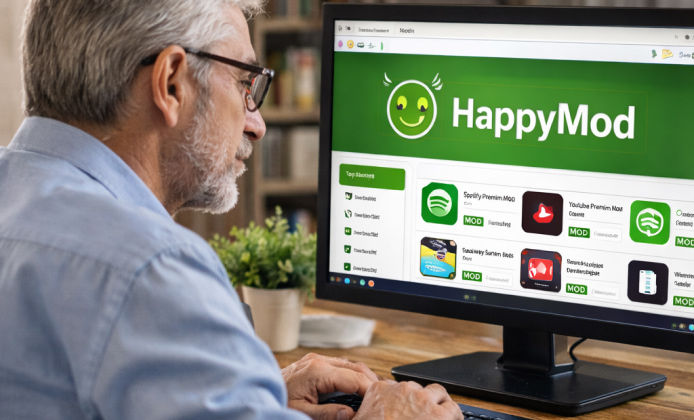
Many people search for ways to customize mobile games and apps, so it’s natural to wonder how mod platforms work on Apple devices. The key difference is that iOS has a stricter app installation model than many other systems, which affects what you can install, how you install it, and what risks are involved. If your goal is to understand whether HappyMod can be used on iPhone, this guide breaks down common scenarios, realistic expectations, and practical alternatives that keep your device and accounts safer.
Quick Reality Check for iOS Users
When people talk about HappyMod on iOS, they usually mean one of three things: a web page claiming iPhone support, a third-party installer profile, or a look-alike app. Because iOS typically allows app installation through the App Store (or enterprise/developer-signed apps under specific rules), mod marketplaces are often limited or unreliable on iPhone.
Why iOS Installation Works Differently
- App signing: iPhone apps must be signed and validated; unsigned packages generally won’t run.
- Profiles and certificates: Some installers rely on configuration profiles that can be revoked, causing apps to stop opening.
- Account and device security: Untrusted sources can lead to credential theft, adware, or tracking.
That’s why searches like iOS HappyMod can lead to mixed results—some pages are informational, while others may be misleading or unsafe.
Common Claims vs. What They Usually Mean
| Claim you might see | What it often indicates | Safer action |
|---|---|---|
| “Works on all iPhones instantly” | A generic marketing page without technical details | Look for official documentation, not promises |
| “Install via profile” | Third-party certificate distribution that may be revoked | Avoid unknown profiles; review Apple profile permissions carefully |
| “No jailbreak needed” | Often means web shortcuts or re-signed apps, not true mod access | Prefer legitimate alternatives (see below) |
| “Enter Apple ID to verify” | High risk of phishing | Never share credentials; enable 2FA and change password if exposed |
If You’re Trying to Install Something on iPhone
People looking to download HappyMod for iOS usually want a working app store alternative for modded versions. On iPhone, the safer approach is to avoid unverified installers and focus on options that respect Apple’s security model and your account safety.
iPhone-Specific Notes
Search terms like download HappyMod for iPhone and HappyMod on iPhone are popular because users expect the same experience across platforms. In practice, you may encounter copycat apps, certificate-based installs, or pages that redirect you through multiple ads. If the steps feel unusually complicated or ask for sensitive access, it’s a sign to stop.
- Don’t install unknown VPN or “device manager” apps just to unlock an installer.
- Avoid any flow that requests an Apple ID login on a non-Apple page.
- Be cautious with “human verification” loops and repeated redirects.
Safer Alternatives That Still Improve Your Experience
If your main purpose is better gameplay, customization, or convenience, there are safer ways than chasing an uncertain HappyMod for iOS download path. Consider:
- Game settings and accessibility features: iOS offers controls that can make play smoother.
- Official companion apps: many games provide legit tools for managing accounts and items.
- Cloud save and device optimization: keep iOS updated, manage storage, and reduce background activity for better performance.
FAQ
- Is it possible to find a working installer? Some users report success through temporary signing methods, but availability can change quickly, and reliability varies. The most important factor is protecting your device and accounts from risky profiles and phishing.
- What should I do if I already installed a profile? Review installed profiles in iOS settings, remove anything you don’t recognize, and change passwords if you entered credentials on a third-party page. If you suspect compromise, enable 2FA and review account login activity.
- Will iPhone allow modded apps like other platforms? Because iOS enforces stricter signing and distribution rules, it’s not the same environment. That’s why searches like HappyMod download for iOS often lead to inconsistent outcomes.
Final Thoughts
It’s understandable to look for extra features and customization, but iOS security and app signing make this area tricky. Focus on trusted sources, avoid suspicious installers, and prioritize account protection to keep your iPhone stable and secure.


 HappyMod APK Guide: What It Is & How It Works
 HappyMod Installation Guide: Security Checklist, Steps, and Common Fixes
 HappyMod for iOS: What’s Possible and What’s Not for iPhone Users
 A Practical Guide to Using HappyMod on PC
 Helpful Tips for HappyMod Users
 Interesting Facts About HappyMod App